how far does it get .. do you see any messages about bootit embri or embrl
flash by? If not, it's not booting the HD, check your BIOS settings or try
setting default or optimal values. Ensure the BIOS can talk to the HD (boot
BING or BIBM and access the drive via partition work), if not it may be the
HD is failing, otherwise it's something in your bios boot order or setting
as the first thing that happens if it boots the HD is some messages are
printed. Then when moving to GUI mode, if it gets that far (past the
message), you'll get a black screen until it comes up, if problems, change
the video mode to VGA and try that.
"sigi" wrote in message news:
[email protected]...
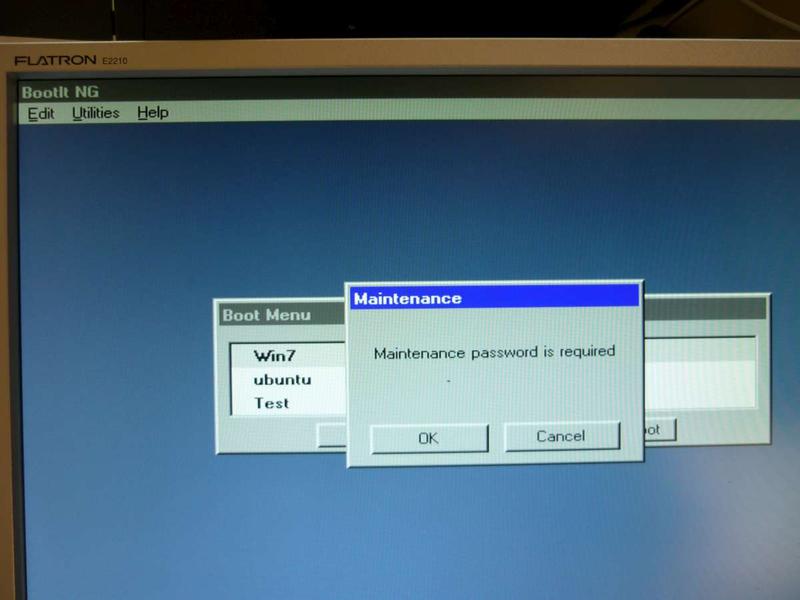
After confirming my only leftover option "Upgrade BootIt NG" and rebooting I
got the " reinstall BootIt NG" option back to together with "Access BootIt
NG Partition" as you mentioned. I was able to delete the Maintenance
Password in accordance with your instructions.
However, the situation seems to be worse now than in my first posting. When
I make HDD my first boot device I do not even see the bootloader any more. I
see my SATA drives correctly mentioned as well as the "AHCI BIOS installed"
message but then the display turns black and freezes. I have to press the
Reset button. If I continue with this boot sequence it may very soon happen
that there are no drives detected all and that it takes several attempts
before I can regain acces to the BIOS in order to make the Floppy my first
boot device again.
I tried the one-time options "Next BIOS device" and "BIOS sequence" with
Floppy first and HDD second in the BIOS without a difference. If I left the
Floppy in place it booted from the Floppy. If I removed it, the Floppy
started rattling and thereafter the screen again turned black and froze.
I am attaching my BING settings below. Perhaps somebody could give me a hint
as to what else I could try? Or is the problem solely within my BIOS (Mobo
H55M-USB3 AWARD BIOS) or even the hardware? This appears to me not very
likely though because once up again in BING or Windows by means of the BING
installation diskette, I have no difficulties whatsoever to access my two
SATA HDD's and the DVD drive and work with them.
[img:wuf2nff8]http://up.picr.de/9335422vqq.jpg[/img:wuf2nff8]